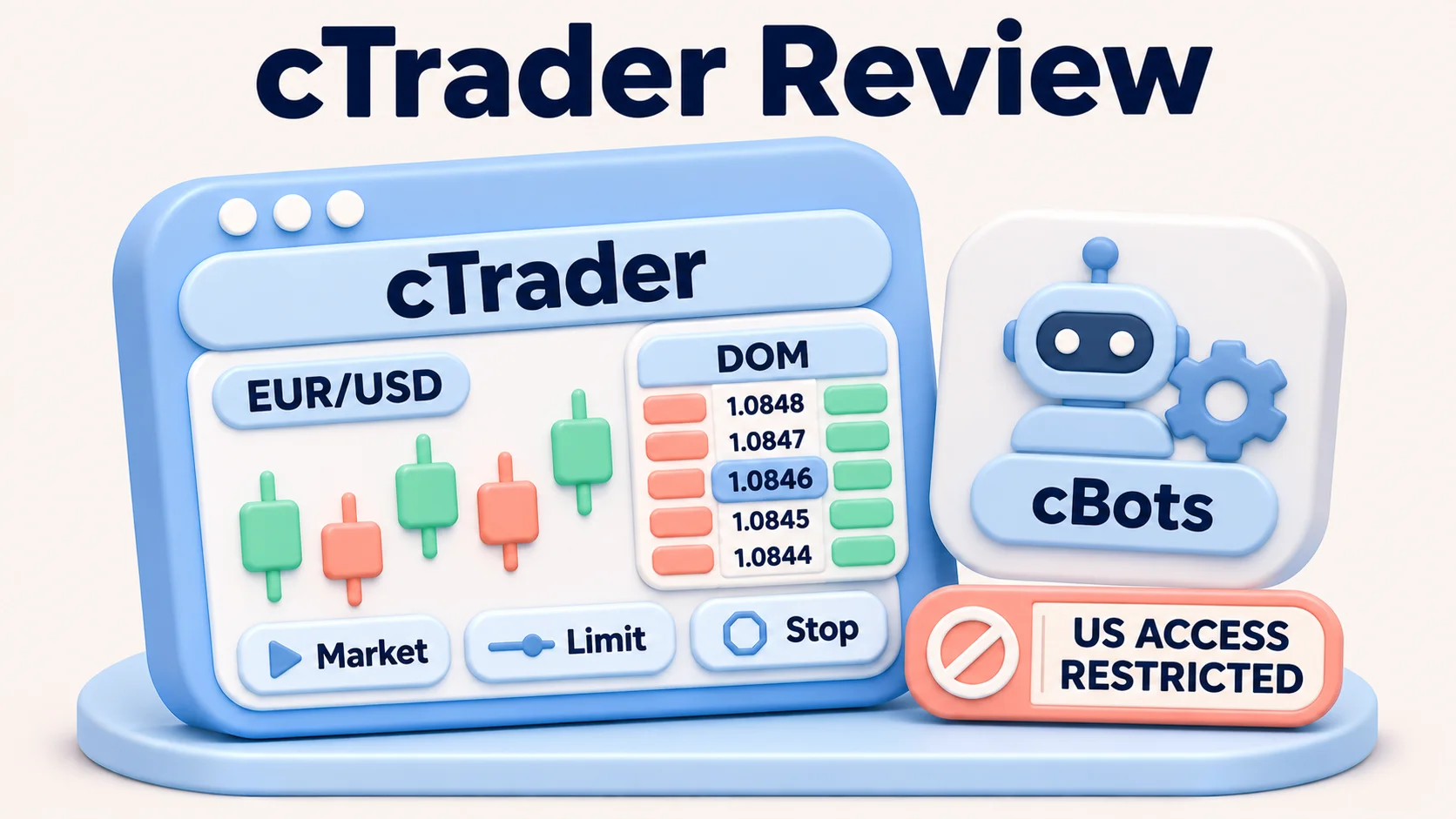
cTrader is a capable forex and CFD trading platform for eligible non-US users, but it is not available to US residents. Its official help centre says US residents cannot sign up or sign in. That is the first consideration for anyone searching for a cTrader review from the United States: a broker's international cTrader advertisement does not establish US account eligibility. See cTrader's official US-access notice.
Outside that restriction, cTrader brings advanced charts, several order-entry tools, depth-of-market displays, automation with C# or Python, and optional copy trading into one environment. The platform is not a broker. Your actual trading instruments, spread, commissions, funding conditions, execution and legal protections depend on the broker and account you can lawfully use. This review assesses the software and its limitations rather than ranking brokers or claiming to have placed test trades.
cTrader at a glance: strengths and limitations
| Area | What cTrader offers | What matters in practice |
|---|---|---|
| Charts | Multi-chart layouts, drawing tools, built-in indicators and saved templates | Useful for active technical analysis; screen space, device and broker data affect the experience |
| Order entry | Market, limit, stop and stop-limit orders; Quick Trade and protective-order settings | Market orders can slip; a stop instruction cannot promise a particular fill |
| Market depth | Standard, Price and VWAP depth-of-market views | Shows available quoted depth in the platform, not a complete consolidated global forex order book |
| Automation | cBots, indicators, C# and Python development, backtesting and cloud execution | Strategy quality, broker conditions, historical assumptions and cloud limits still matter |
| Copy trading | cTrader Copy strategies and separate copying accounts | May add performance, management and volume fees; copied losses remain the investor's |
| US accessibility | Vendor currently excludes US residents | Not a practical US retail forex platform selection |
For international readers who are eligible, cTrader is particularly interesting when order control and custom automation matter. It is less attractive to someone who needs a large existing MetaTrader Expert Advisor library, a single simple mobile-only workflow, or an account from a broker that does not offer cTrader. For US residents, access is the decisive limitation regardless of the software's features.
Charting and everyday usability
cTrader Web supplies candlestick, bar, line and dot charts, with drawing objects, indicators, templates and multiple chart layouts. Traders can save workspaces and reuse them with the same cTrader ID. The documentation notes that Web and desktop workspaces are not interchangeable, so a saved Web layout should not be assumed to reappear identically on Windows or Mac. The chart-toolbar guide describes the supported options.
Chart flexibility helps when you compare a short-term entry against higher-timeframe context or monitor more than one forex pair. It does not improve the price your broker offers. Data feeds, market hours and the specific symbol list still come from the connected brokerage environment. Technical indicators organize information; none independently predicts the next price move.
Depth of market: useful context, not a full FX exchange tape
cTrader documents three depth-of-market (DOM) views. Standard DOM shows quoted depth without direct trading; Price DOM supports order entry and position management from the ladder; VWAP DOM displays estimated volume-weighted prices for different order sizes. That is helpful when assessing whether quoted liquidity appears thin relative to a planned trade. It is not evidence that an order will execute for the displayed total at a guaranteed price: prices and available volume can change before the broker processes it. See cTrader's DOM explanation.
Orders, execution and risk controls
cTrader supports market orders and pending limit, stop and stop-limit orders. Traders can specify stop-loss and take-profit levels, use trailing stops and manage trades from the chart or order panel. A market-range setting can restrict acceptable price deviation, but an order may then go unfilled when the market moves outside that range. The vendor's order guide sets out these controls.
These features address different problems. A limit order lets a trader specify an acceptable entry price but may not execute. A stop order can trigger after price moves through a level, but the eventual fill can be worse than the trigger. A stop-limit order adds a price bound but can leave the position unfilled during a fast move. A protective stop reduces the need to monitor every tick; it does not remove gap or slippage risk.
Execution speed claims require particular care. The interface can make an order easy to submit, but measured end-to-end execution depends on the broker, server location, connection, order size and prevailing liquidity. This review has no live account log or dated benchmark and therefore does not rank cTrader's execution speed against competing platforms.
cTrader Algo: bots, backtesting and device differences
cTrader Algo supports custom indicators and trading robots called cBots, written in C# or Python. Building a bot requires the Windows or Mac application and the appropriate development tools; creating or editing a bot is not a mobile or browser-only task. cBots can, however, be managed and launched as cloud instances from Web and mobile, where the user and broker are eligible. The platform also allows backtesting and optimization on desktop. The vendor's Algo documentation and cBot capability guide distinguish these functions.
| Automation task | Windows / Mac | Web / Mobile |
|---|---|---|
| Write and build a new C# or Python cBot | Yes | No native code-building workflow |
| Backtest and optimize a cBot | Yes | Not in the normal Web/Mobile workflow |
| Start and monitor a cloud cBot | Yes | Yes, for supported accounts |
| Run a bot locally on the device | Yes, while the desktop app operates | No local bot execution |
Cloud execution can continue while a personal computer is off, eliminating the need for a separate VPS for supported strategies. It is not unlimited: the vendor documents limits by account type, and individual brokers can apply additional conditions. Some bots also depend on external packages or services that may not function the same way in the cloud. Read the cloud requirements before relying on an unattended system.
Why a strong backtest is not proof of a profitable live bot
cTrader's desktop backtester allows a trader to choose historical data and model spreads and commission. A backtest can reveal programming mistakes and show how a strategy would have behaved under selected assumptions. It does not reproduce every live rejection, latency spike, liquidity change or unusual market event. Fitting parameters repeatedly to the same history can also make a strategy look more reliable than it is. The correct next step for an eligible user is independent forward evaluation under the intended broker's actual rules, not reliance on an attractive historical chart.
cTrader Copy: convenience with another layer of cost
cTrader Copy lets an eligible account allocate funds to a strategy provider and automatically follow that provider's trading activity. The copied account is separate from a regular trading account; the investor does not manually place trades in the dedicated copy account. Depending on the strategy, providers may charge a performance fee, a management fee and/or a volume fee, on top of the underlying broker's dealing costs. The vendor publishes maximum provider-set rates of 40% of net profit for performance, 10% per year on equity for management and $10 per million copied per side for volume. These are caps, not an assertion that every strategy charges them. See cTrader's Copy fee schedule.
A provider's displayed past return is not what a new investor is guaranteed to earn. Differences in deposit size, leverage, entry timing and available margin can produce different outcomes or missed trades. If the provider stops offering a strategy, the platform may close copied positions and crystallize fees. Check these mechanics in the Copy FAQ; a high-water-mark performance fee helps avoid charging twice for the same prior peak, but it does not protect against future losses.
How much does cTrader cost? A worked forex example
There is no single reliable 'cTrader spread' or 'cTrader commission'. Spotware provides trading software; the connected broker and account set dealing prices, and paid add-ons or copy strategies can introduce further charges. A promotional spread starting from zero does not describe the average cost of a completed trade. Compare the spread plus round-trip commission plus any overnight financing and slippage, using identical trade sizes, symbols and account currencies.
Consider a purely hypothetical one-standard-lot EUR/USD trade of 100,000 euros on a USD-quoted account. For this position, one pip is approximately $10. The following example demonstrates the arithmetic; it is not a live cTrader quote, a tested broker tariff or an offer to US residents.
| Hypothetical pricing | Spread cost | Round-trip commission | Illustrative entry/exit dealing cost |
|---|---|---|---|
| Spread-only: 1.2 pips | 1.2 × $10 = $12 | $0 | $12 |
| Raw-spread style: 0.2 pip | 0.2 × $10 = $2 | $6 total | $8 |
The difference is $4 on the assumed trade, before any adverse execution, currency conversion or swap charge. It is not evidence that raw pricing is always cheaper: a floating spread can widen sharply, commissions might be quoted per side rather than round trip, and different brokers calculate volume and currency conversion differently. For a position held overnight, financing may outweigh a small opening spread saving. Traders using cBots or copy trading must count repeated order costs rather than evaluating a single entry.
As a separate example, a hypothetical Copy strategy with a 20% performance fee charging on $200 of new net profit would deduct $40 before any other applicable charges. That number is mathematics, not a published strategy's actual rate or expected return. The vendor's fee rules explain the high-water-mark mechanism and when fees are applied.
Devices, broker connections and US availability
cTrader offers Windows, Mac, Web and mobile applications, but similar names do not mean identical functions. For example, desktop provides bot creation and backtesting, while Web and mobile focus on accessing markets and controlling cloud bots. On any device, the tradable products, margin levels and account pricing are broker-specific, and a cTrader ID is not itself a brokerage account.
US residents: the vendor's troubleshooting notice explicitly says cTrader does not provide services to US residents and that sign-in and registration will fail if US residence is confirmed. Accordingly, this review names no US cTrader forex broker and does not treat a foreign subsidiary's licence or an international broker directory as permission to offer retail forex accounts in the United States. Using a VPN or another country setting is not a legitimate answer to an account-residency restriction.
For a US retail forex account, the practical sequence is to confirm the authorised US dealer and eligible product first, then evaluate the platforms that dealer actually supports. FXRanking's US forex broker guide covers that different selection question. For eligible non-US readers who specifically want cTrader, the existing cTrader broker comparison discusses international offerings; its named brokers and trading conditions should not be assumed to apply to US residents.
Where cTrader makes sense and where it does not
Better fit: an eligible international forex or CFD trader who values chart layout control, a depth-of-market panel and the option to design C# or Python cBots; or a developer who wants desktop backtesting combined with supported cloud execution. The real benefit is workflow flexibility, not an independently demonstrated execution advantage.
Worse fit: US residents under the vendor's current access policy; traders whose authorised broker does not support the platform; investors uncomfortable with additional Copy fees; and anyone assuming a backtest, depth display or stop-loss eliminates market risk. Traders who already depend on a MetaTrader-specific library also face migration and rewriting costs. A platform switch should solve a concrete workflow problem rather than follow a broad 'best platform' label.
Review basis and risks
This platform review is a documentation-based assessment. It compares cTrader's published chart, order, Algo, cloud and Copy functionality against the needs of different readers. It does not represent a hands-on platform benchmark, live trading audit, resident-account application, broker test, withdrawal test or verification of any broker's regulatory status. Vendor functionality and fee rules can change, and country access must be checked again before any publication or account decision.
Material primary references include the US-access notice, orders documentation, Algo guide, Copy fees and the US regulator's retail forex customer advisory. These identify the scope of documented claims; they do not replace a broker's current account agreement and fee schedule.
Risk warning: Leveraged forex and CFD trading can produce rapid and substantial losses, including losses that exceed the intended risk where applicable rules and account protections permit. Market gaps, slippage, spreads, commissions and financing can change outcomes. Automated and copied strategies can lose money quickly; neither software features nor historical returns guarantee a profit.
FAQs
Can US residents use cTrader to trade forex?
The vendor currently excludes US residents. Its official troubleshooting guidance says US residents cannot sign up or sign in. An international broker advertising cTrader does not override that restriction. Check the platform policy and a broker's exact legal entity before making an account decision.
Is cTrader a broker or a trading platform?
cTrader is trading software, not the broker that holds an account or quotes tradable instruments. The broker determines available markets, spreads, commission, leverage, funding and relevant client protections.
Does cTrader charge a commission on forex trades?
There is no universal cTrader forex commission. Dealing commissions and spreads depend on the broker and account. cTrader Copy can also involve provider-set performance, management and volume charges. Compare all costs per side and round trip.
Can I create and backtest a cTrader bot on my phone?
Bot creation and backtesting require cTrader Windows or Mac. Web and mobile can manage or launch supported cloud cBot instances, but do not provide the full native development and backtesting workflow.
Is cTrader Copy free?
Some strategies are free to copy; others charge combinations of performance, management and volume fees. Brokerage spreads and commissions can still apply. Investors bear trading losses, and copying may produce results different from the strategy provider's.
Is cTrader better than MetaTrader 4 or 5?
That depends on the authorised broker, instruments and workflow. cTrader offers modern charting and C#/Python cBots, but existing MetaTrader scripts and plugins are not automatically compatible. For US residents, cTrader's present access restriction makes platform feature comparisons secondary to local availability.
Does market depth guarantee better execution on cTrader?
Market depth is information, not a fill guarantee. Depth-of-market views show quoted liquidity and help assess order size, but the broker's available prices may change or disappear. Slippage, rejections and network conditions can change the actual fill.

Stephen Bennet
Stephen Bennet is a Forex reviewer and financial analyst with more than 25 years of experience in the financial markets. He specializes in reviewing brokers, evaluating trading platforms, and explaining the Forex market in a clear and practical way. Through independent, trader-focused analysis, Stephen helps readers compare providers, understand key risks, and choose platforms with greater confidence.